

How to Forward an Email to Third-party Email Providers
1. Log in to your SiteWorx account.
2. In the Email section, click on Aliases.
3. Click on the Plus icon. 
4. Enter to following details:
- E-mail Address: Enter your email address username such as john. Choose the appropriate domain from the drop-down menu in case of multiple domains.
- Forwards To: Enter the email address on which you want to receive forwarded emails.
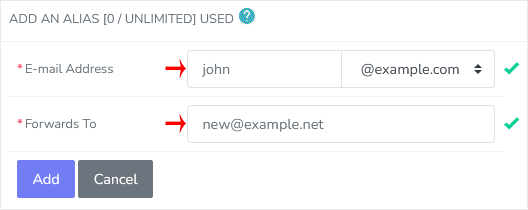
5. Click on Add.



 English
  phone
phone
 Whatsapp
 Quote
Quote